
BJT NEWS · ATAS AI
ATAS Gets AI Tools
Benjotrade · Published October 21, 2026
Preview feature — final functionality may change
What if every trading idea in your head could be turned into a working ATAS tool simply by describing it?
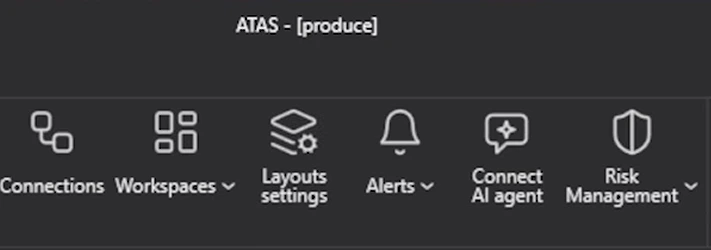
ATAS is testing a new Model Context Protocol (MCP) interface designed to connect an external AI agent with the trading platform. Instead of using AI only to explain markets or write isolated code, the planned connection could allow an agent to understand the ATAS workspace, create indicators and modules, adjust charts, build strategies and—if explicitly permitted—interact with trading functions.
The screenshots in this article come from an early test environment. They show a powerful direction for ATAS, but the interface, feature set and release schedule may still change before a public launch.
What is the ATAS MCP interface?
MCP stands for Model Context Protocol. It is a standard that allows an AI agent to discover and use tools provided by another application. In this case, ATAS acts as the connected platform and exposes selected functions to an AI agent.
The important difference is that the AI would not merely describe what a trader should click. With the appropriate permissions, it could work with actual ATAS functions and context. That could include reading charts and indicators, changing a workspace, compiling a custom script or preparing a strategy for testing.
Granular permissions: read, change or trade
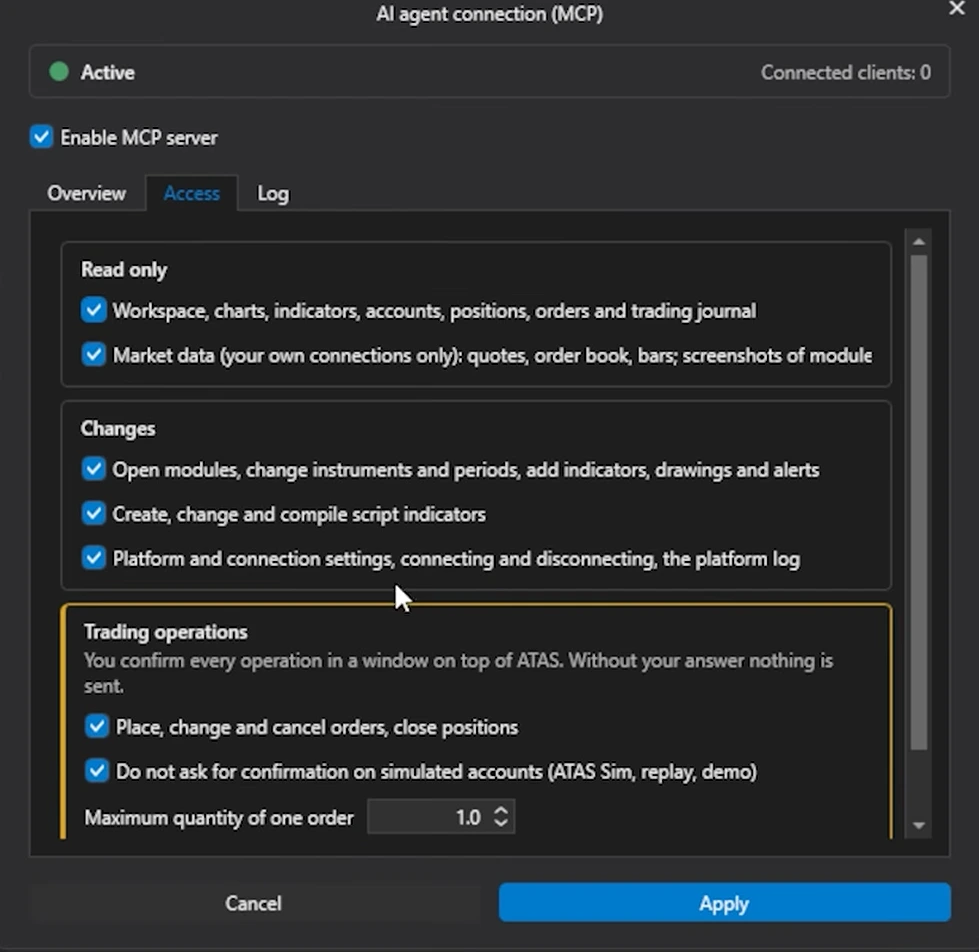
Giving an AI access to a trading platform requires strict controls. The preview therefore separates permissions into several levels.
Read-only access
The agent may be allowed to read selected platform information, including:
- workspaces, charts and indicators;
- accounts, positions and orders;
- the trading journal;
- market data from the trader’s own connections;
- quotes, order-book data, bars and module screenshots.
Platform changes
Additional permissions can allow the agent to:
- open modules and change instruments or chart periods;
- add indicators, drawings and alerts;
- create, edit and compile script indicators;
- work with platform and connection settings;
- connect or disconnect selected services.
Trading operations
Trading access is treated separately. The preview includes permissions for placing, changing or cancelling orders and closing positions. It also shows confirmation controls and a maximum order quantity.
That separation is essential. A sensible default is to begin with read-only access, test changes in simulation and grant trading permissions only when the workflow is fully understood.
Control ATAS through natural language
One of the most accessible applications is conversational platform control. A trader could describe the desired outcome instead of manually configuring every setting.
For example:
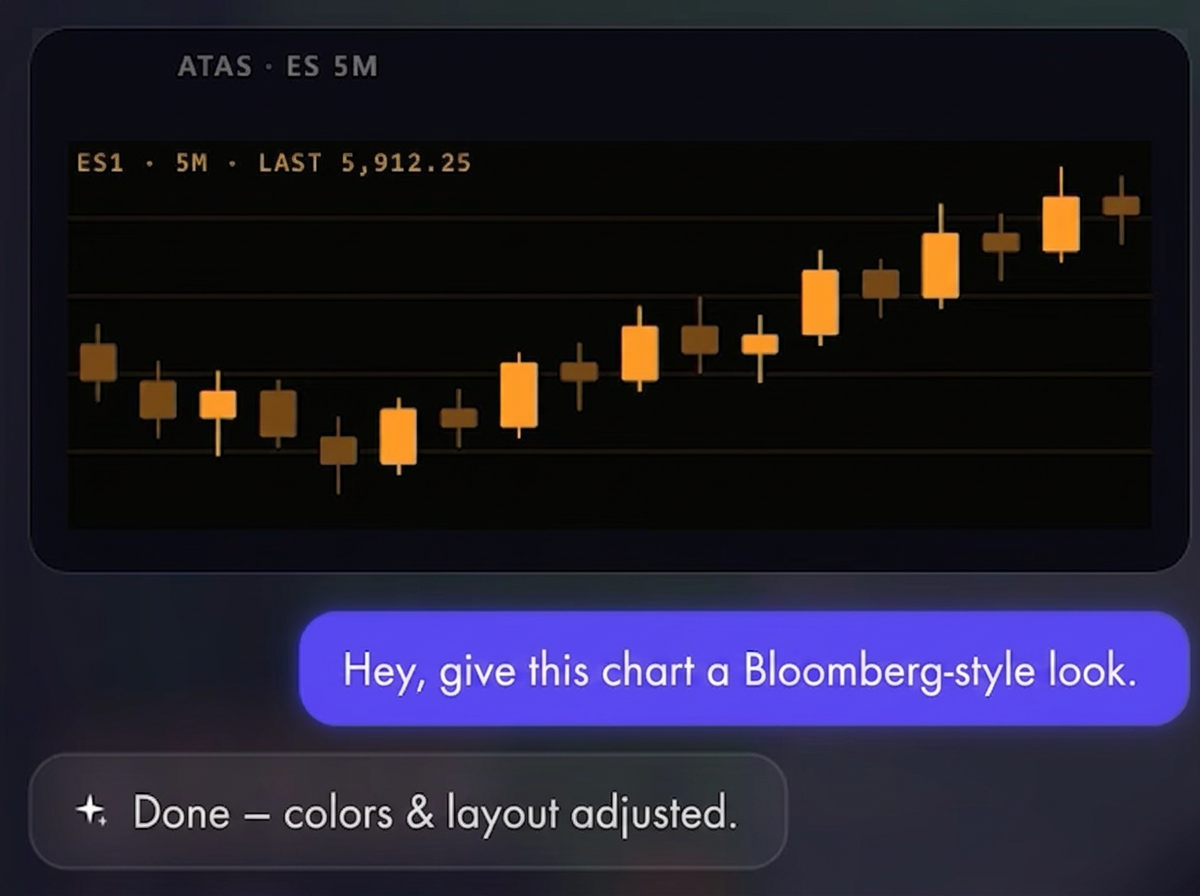
“Give this chart a Bloomberg-style look.”
The connected agent could then adjust the colors and layout inside ATAS. The same concept could be applied to workspaces, chart periods, drawing tools, alerts or indicator settings.
Create ATAS modules and indicators through chat
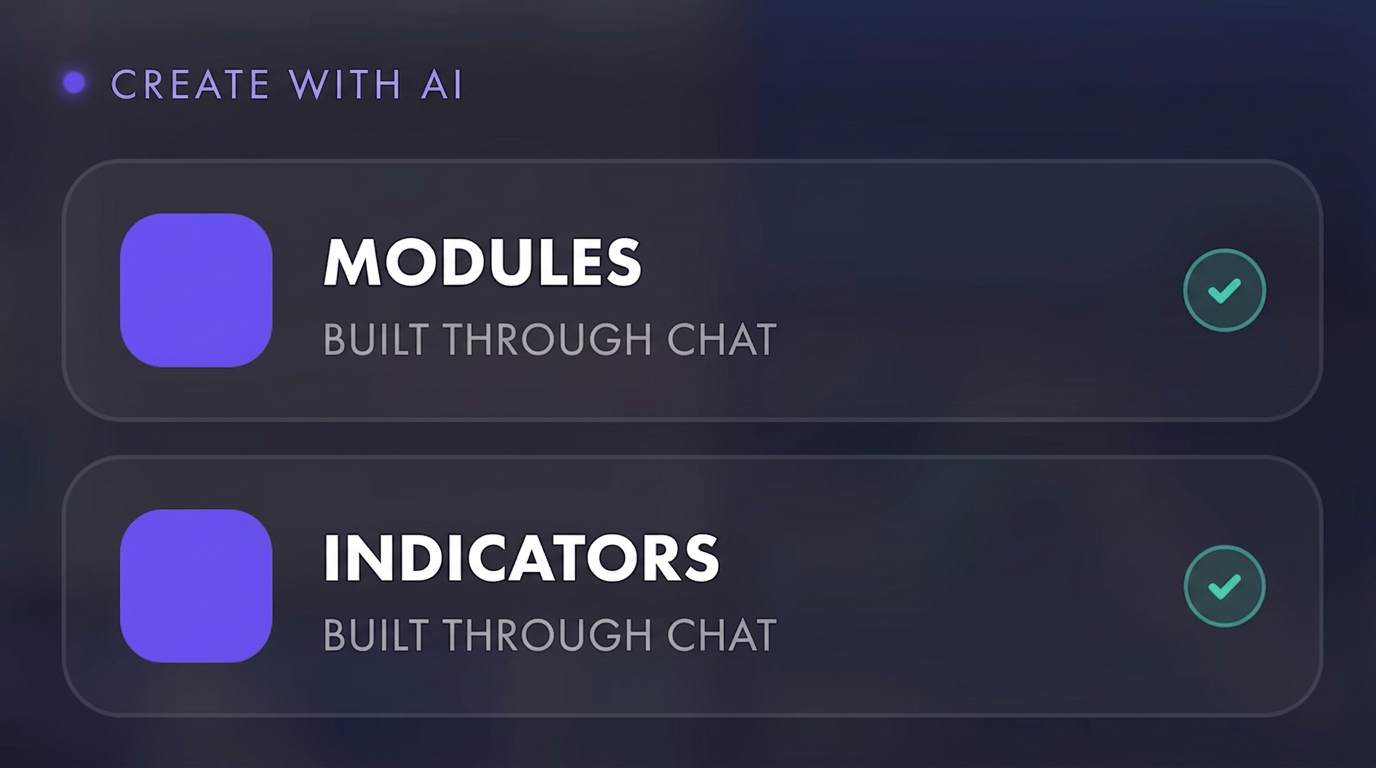
The most significant potential is not cosmetic customization. The preview demonstrates AI-assisted creation of complete ATAS modules and custom indicators.
A trader could explain:
- which market inputs should be used;
- how each signal should be weighted;
- which parameters should be adjustable;
- how the result should be displayed;
- whether the tool should only analyze or also generate trading actions.
The agent can then help structure the project, create the necessary code and compile it for ATAS. Once installed, custom indicators appear in the regular indicator folder and modules can be opened like other platform tools.
Example: a risk-on/risk-off sentiment module
One demonstrated test project combines a selection of instruments into a weighted risk-on/risk-off sentiment reading. Where a preferred instrument is unavailable, another market or CFD can be used as a proxy.
This illustrates the flexibility of the concept. The trader defines the logic and the weighting, while the AI assists with the technical implementation and interface. Similar modules could be created for:
- cross-market sentiment;
- breadth and relative-strength monitoring;
- intermarket confirmation;
- volatility regimes;
- central-bank and macro-event dashboards;
- prop-firm risk and account monitoring.
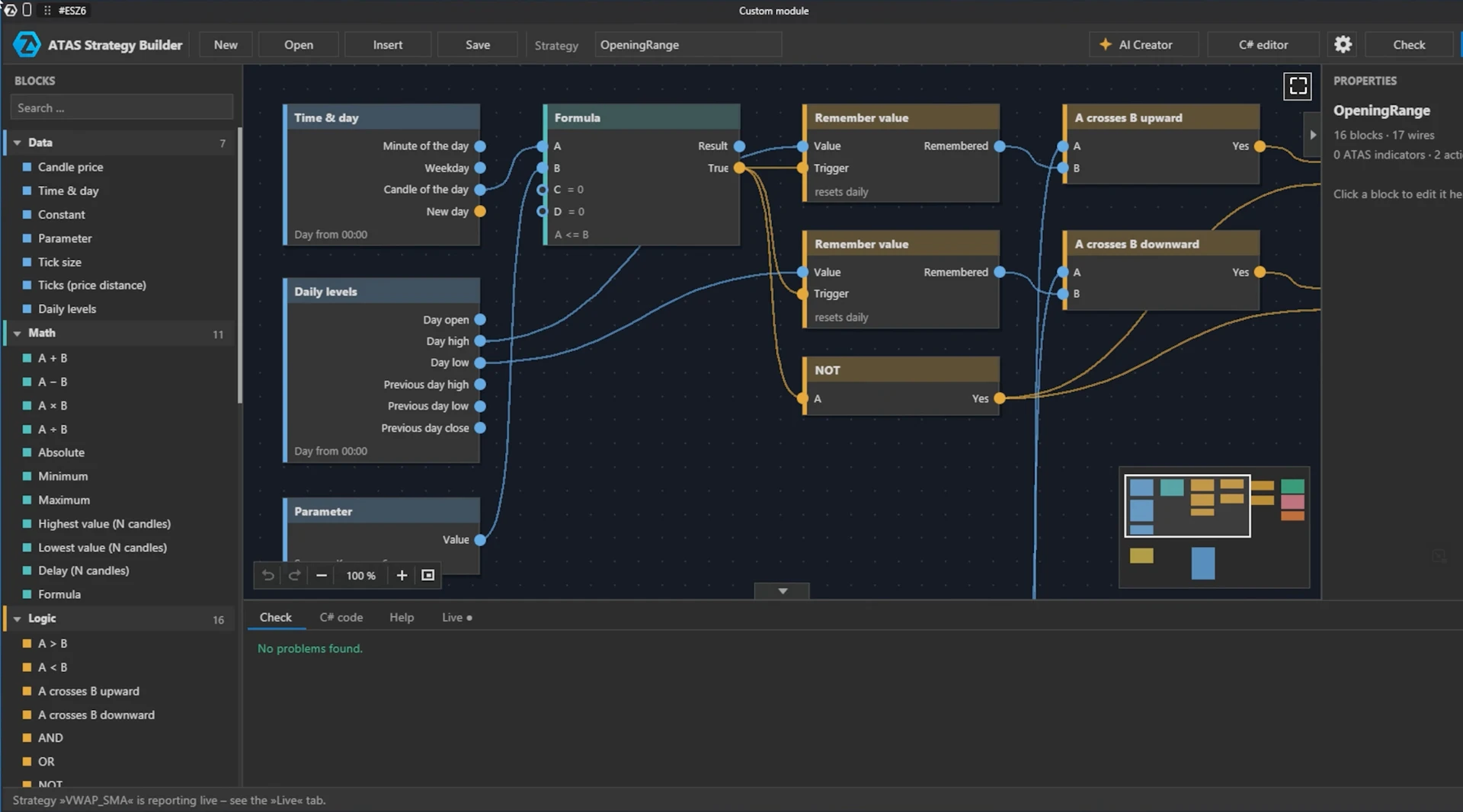
A visual strategy builder inside ATAS
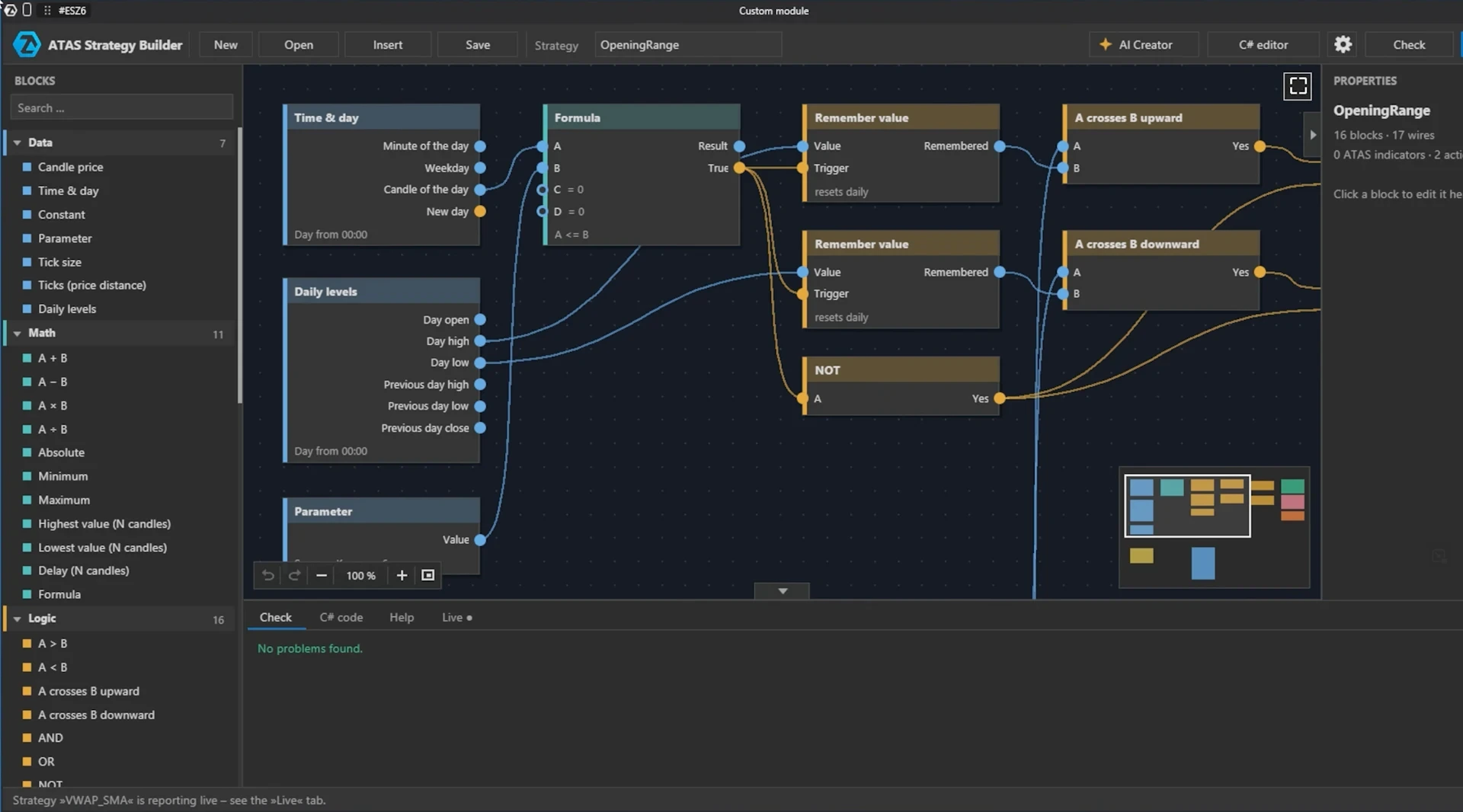
Another preview module is a visual strategy builder. It contains ATAS indicators, configurable parameters and logical building blocks that can be connected on a canvas.
This offers two complementary workflows:
- Build the strategy visually by connecting conditions and actions.
- Describe the trading logic to the connected AI and let it create or refine the structure.
A built-in code editor remains available for users who want to inspect or adjust the generated implementation.
Backtest strategies using historical data
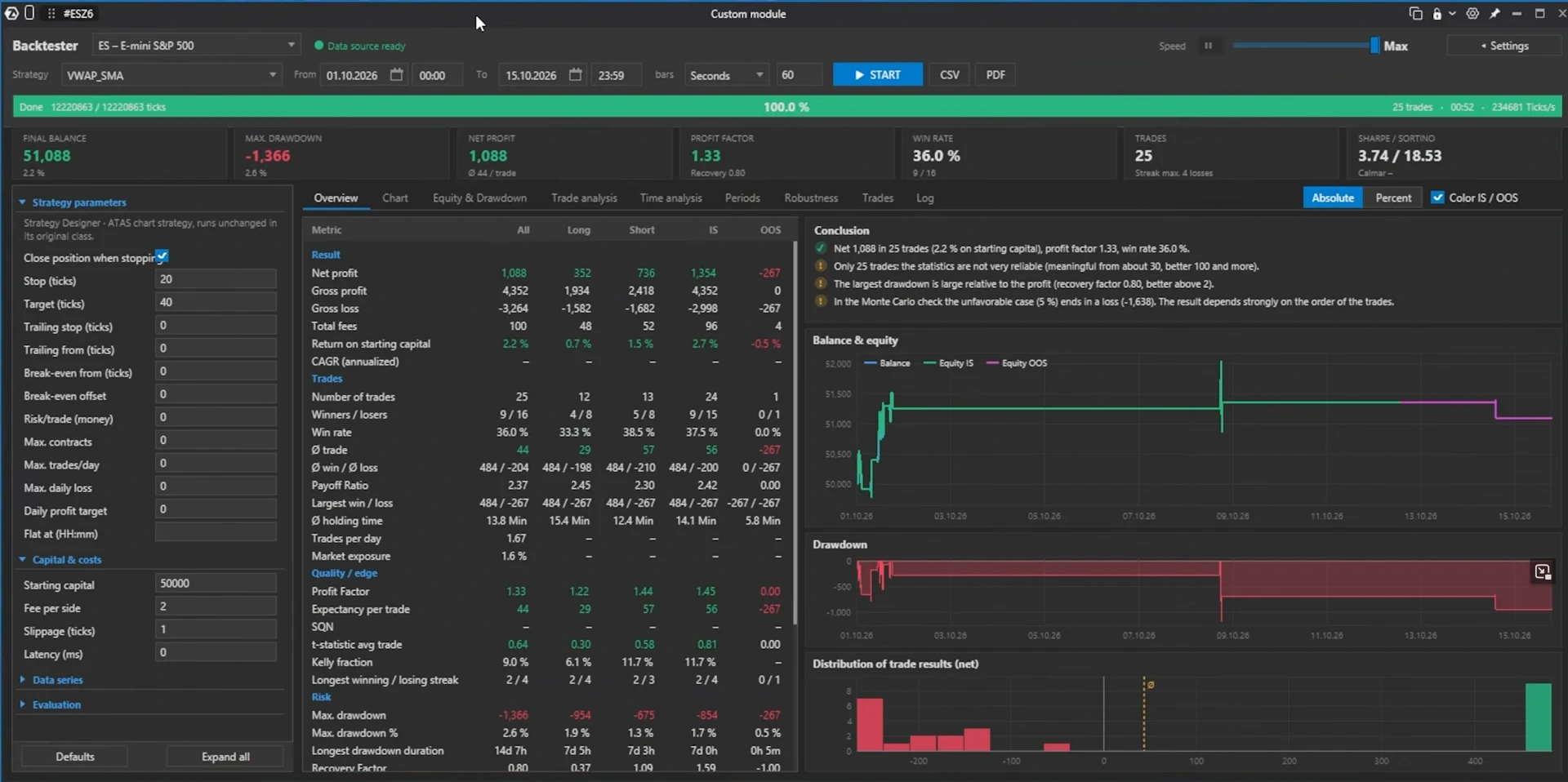
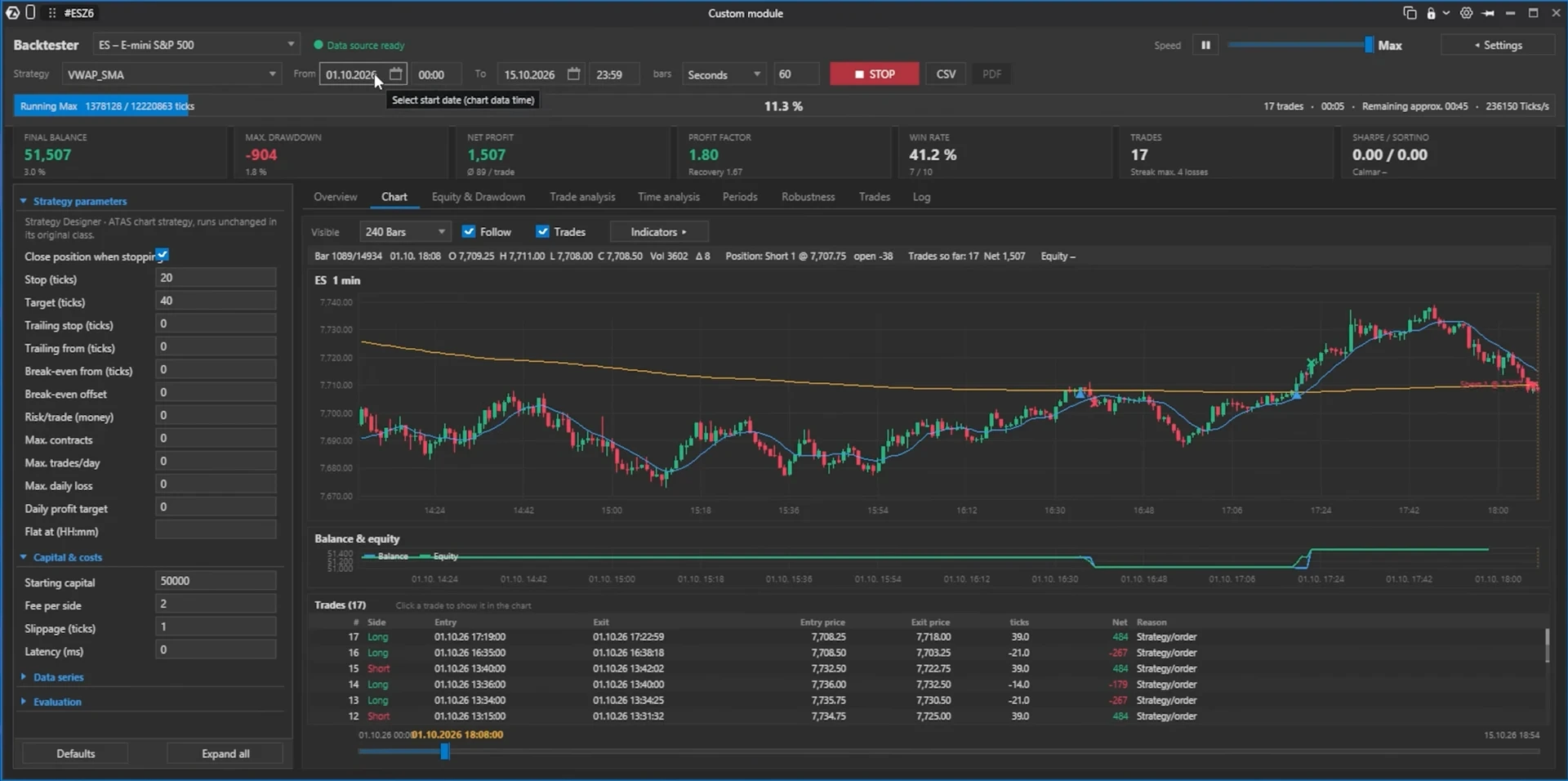
Creating a strategy is only the first step. The preview also demonstrates a backtesting engine that can run the strategy against historical data and display the results inside an ATAS module.
The available analysis shown in the test environment includes:
- key performance statistics;
- an equity curve;
- drawdown development;
- distribution of trade results;
- a list of individual trades;
- configurable strategy parameters;
- detailed chart-based trade inspection.
Backtests are not proof of future profitability. Generated strategies still require realistic commissions, slippage, out-of-sample testing and careful validation for look-ahead bias or overfitting.
Convert existing indicator ideas to ATAS
The connected development workflow may also help traders transfer existing concepts from other platforms. A Pine Script, MetaTrader script or NinjaTrader indicator could be provided as a reference and translated into an ATAS-compatible implementation.
This could save substantial development time, but it should not be treated as a guaranteed one-click conversion. Platforms use different data models, event handling, order logic and APIs. Every converted indicator should therefore be checked against the original output and tested before it is used for trading decisions.
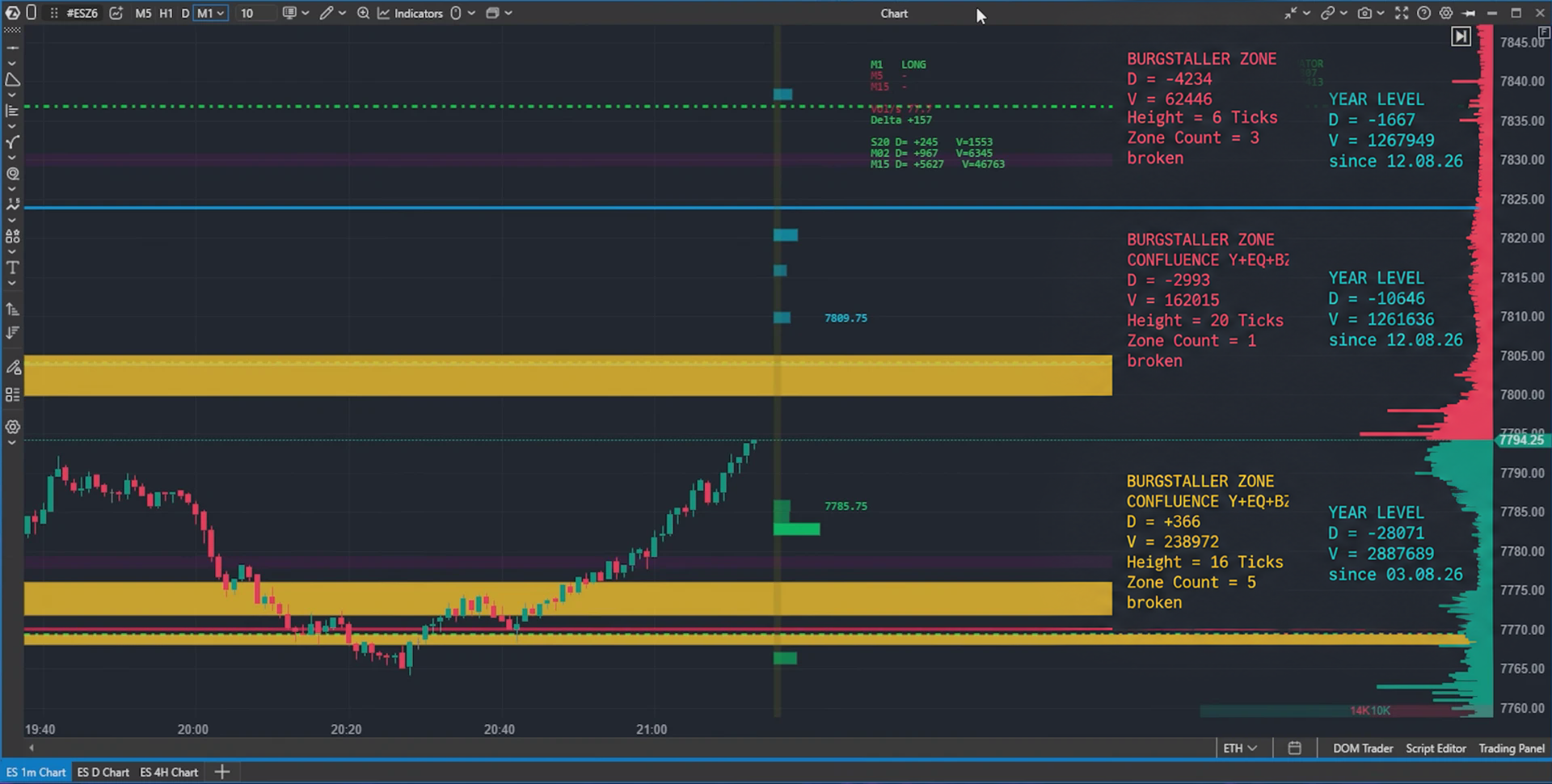
Example: a custom multi-timeframe level indicator
The preview includes a custom indicator that combines higher-timeframe levels with volume-based zones. Such a tool can automatically organize yearly and four-hour reference levels, highlight relevant areas and reduce repetitive preparation before a trading session.
Why this could change trading-platform development
Until now, creating advanced ATAS indicators and modules has generally required knowledge of C# and the ATAS API. ATAS already supports custom indicators, strategies and API-based extensions, but the technical barrier has limited development to programmers or traders willing to learn software development.
An MCP connection could move the process closer to this workflow:
idea → conversation → working prototype → backtest → refinement
That does not eliminate the need for precise rules or proper testing. It does, however, give discretionary traders a much faster way to prototype tools based on their own experience.
What traders should keep in mind
The feature is promising, but several safeguards remain important:
- Start with read-only permissions.
- Use simulation before enabling any trading actions.
- Keep order confirmation enabled.
- Limit the maximum permitted quantity.
- Review generated code and compiled indicators.
- Compare converted indicators with their original versions.
- Include realistic fees and slippage in every backtest.
- Never assume that an AI-generated strategy is profitable or error-free.
AI can accelerate implementation. It cannot replace risk management, market understanding or human responsibility.
Availability
The MCP connection and the modules shown here are from a preview and test environment. The demonstrated target is a release within 2026, but ATAS has not yet published complete public documentation covering the final feature set, supported AI clients, plan availability or exact launch date.
We will update this article when ATAS confirms the public release and final requirements.
Final assessment
The ATAS MCP interface could become one of the platform’s most important developments. It changes AI from an external assistant into a controlled participant in the ATAS workflow.
For traders, the practical value is clear: faster workspace configuration, easier indicator development, custom analytical modules, visual strategy construction and integrated backtesting—all based on ideas expressed in normal language.
The technology is still in preview, but the direction is compelling: traders may soon be able to build their own version of ATAS without needing to become full-time programmers.
Frequently asked questions
MCP stands for Model Context Protocol. It provides a standardized way for an AI agent to access selected tools and context exposed by ATAS.
The preview shows an external AI agent connecting to ATAS through MCP. The final list of supported clients and the exact setup process have not yet been publicly confirmed.
The test interface includes optional trading permissions. These are separate from read and platform-change permissions and can be restricted with confirmations and a maximum quantity. Trading access should only be enabled after extensive simulation testing.
That is one of the main goals demonstrated in the preview. A trader describes the desired logic while the agent assists with code generation and compilation. The finished tool must still be reviewed and tested.
AI can use Pine Script as a reference and help translate its logic into an ATAS-compatible indicator. Because platform APIs and calculations can differ, the result needs functional and visual validation.
The preview targets a release during 2026. An exact public launch date and final availability have not yet been confirmed.
Explore ATAS
Affiliate disclosure: Benjotrade is an independent ATAS partner. We may earn a commission when you purchase through our partner links, at no additional cost to you.